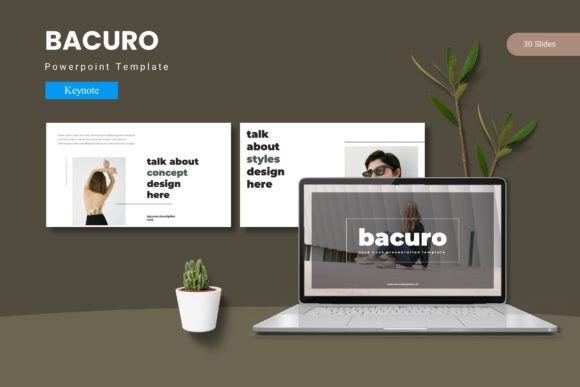
Bacuro: A Modern Keynote Template for Polished Presentations
Imagine stepping onto a stage, connecting your laptop, and knowing every single slide in your deck is flawless. No misaligned text, no clashing colors, no frantic last-minute adjustments. That sense of calm confidence is exactly what a well-organized presentation template provides. For anyone regularly pitching ideas, reporting results, or sharing knowledge, the visual foundation of your slides matters just as much as your spoken words. It’s about creating a seamless experience that guides your audience’s attention and reinforces your message at every turn.
This is where a thoughtfully constructed Keynote design system comes into play. It’s more than just a collection of pretty slides; it’s a framework for clear communication. A template built on master slides ensures every element, from title placements to chart styles, remains consistent across dozens of pages. This consistency isn’t just about aesthetics—it builds subconscious trust. When your audience sees a cohesive visual story, they perceive the content itself as more organized and credible.
Practical Applications Across Industries
The true value of a versatile presentation template is its adaptability. Consider a startup founder preparing for a crucial investor meeting. They need to convey complex data, market analysis, and a compelling vision, all within a limited time. A template with dedicated section break slides and handcrafted infographics allows them to structure their narrative clearly, making dense information digestible. The pixel-perfect illustrations and editable graphics mean they can tailor visuals to their specific brand, whether they’re showcasing a tech product or a service-based model.
For marketing teams, consistency across departments is vital. A sales team presenting quarterly results to leadership should use the same visual language as the brand team presenting a new campaign strategy to external partners. A unified template ensures that every presentation, regardless of its creator, feels like it comes from the same organization. This strengthens internal and external brand recognition. The inclusion of gallery and portfolio slides is particularly useful for creative agencies or product-based businesses looking to showcase their work visually within a pitch or report.
Enhancing Your Visual Workflow
Efficiency in design often comes down to smart systems. Working from a template that utilizes master slides is a game-changer. Instead of manually formatting each new slide, you select a pre-designed layout that automatically inherits the correct fonts, colors, and alignment rules. This saves an enormous amount of time and eliminates the risk of visual errors. Features like picture placeholders with drag-and-drop functionality streamline the process of adding images, allowing you to focus on crafting your message rather than wrestling with formatting.
Color psychology plays a subtle but powerful role in engagement. A template offering multiple color schemes, such as the five variations included in this system, provides flexibility. You can choose a palette that aligns with your company’s brand guidelines for a formal report, or switch to a more vibrant, energetic scheme for a creative workshop. This adaptability makes a single template suitable for a wide range of contexts, from corporate boardrooms to educational seminars.
Building a Cohesive Brand Identity
Your presentation is a direct extension of your brand. Every font choice, color accent, and image style contributes to the overall perception of your professionalism. Using a consistent template across all your decks helps solidify your brand identity in the minds of your audience. Over time, people will begin to associate that specific visual style with your ideas and your company, much like they associate a logo or a website design. This repetition builds recognition and recall.
Typography within the template is a critical component. The fonts chosen are typically modern, clean, and highly readable, even when projected on a large screen. They are designed to be versatile, working well for both large headlines and smaller body text. When you download a template, it’s wise to review the included font styles and ensure they align with your brand’s existing typography guidelines. If you plan to use the template for commercial projects, always verify the licensing terms for the fonts provided to ensure they are cleared for such use.
Tips for Maximizing Your Template
Start by exploring the full slide library. Don’t just use the first five layouts you see. There are often hidden gems like unique data visualization slides, quote layouts, or process diagrams that can make your content more engaging. Experiment with the color schemes to see which one best complements your content’s mood. For a data-heavy presentation, a clean, high-contrast scheme might work best. For a motivational talk, warmer tones could be more effective.
Remember that the template is a starting point. While it provides a strong foundation, your content is what brings it to life. Customize the placeholder text with your own compelling headlines and concise bullet points. Replace the sample images with high-quality photos that are relevant to your topic. The goal is to make the template your own, not to be constrained by it. Think of it as a professional set of tools that helps you build something unique and impactful.
Ultimately, a powerful Keynote template like this one acts as a silent partner in your presentation success. It handles the heavy lifting of design consistency, freeing you to concentrate on your story, your delivery, and your connection with the audience. In a world where attention is scarce, a polished and professional visual presentation is no longer a luxury—it’s a fundamental component of effective communication.