Hunora - Google Slide Template: A Designer's Toolkit for Impactful Presentations
Every designer, entrepreneur, or content creator knows the struggle: you have a brilliant idea, a compelling pitch, or a crucial update to share, but the presentation feels flat. The default templates are uninspired, and building a slide deck from scratch is a time-consuming puzzle. This is where a thoughtfully crafted asset like the Hunora - Google Slide Template changes the game. It’s not just a set of slides; it’s a pre-built visual system designed to transform your ideas into cohesive, professional narratives that capture attention and communicate with clarity.
Beyond Slides: A Foundation for Visual Consistency
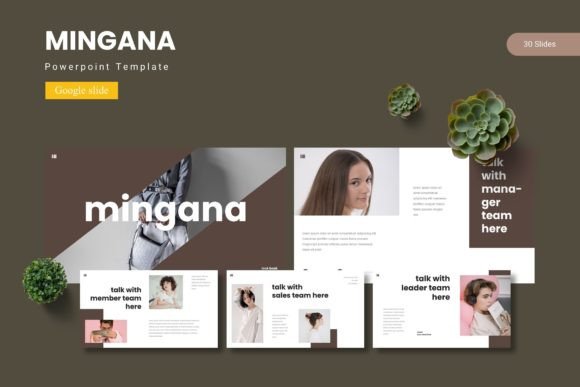
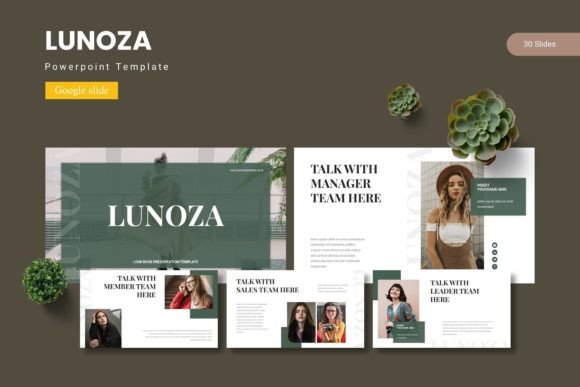
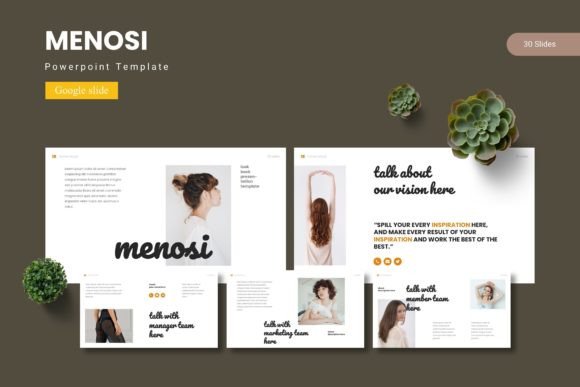
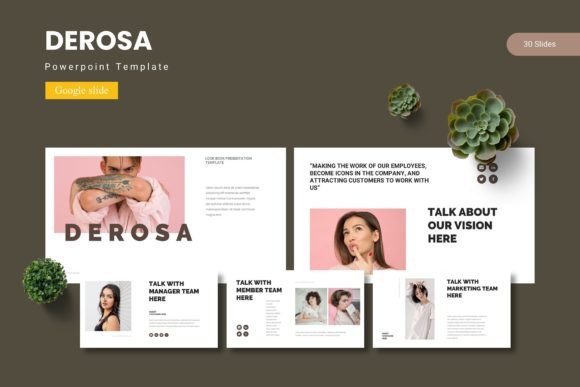
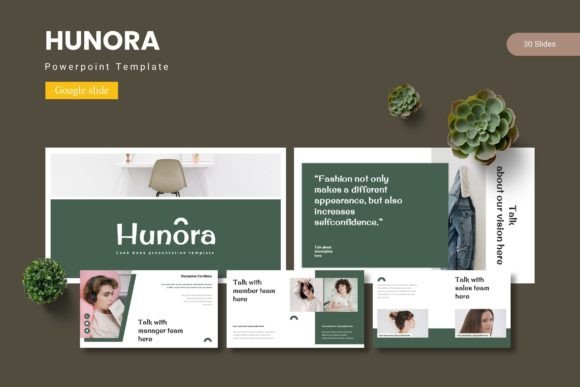
What makes Hunora stand out is its foundation in modern typography and strategic design. With over 150 total slides organized into five premade color schemes, it offers a robust starting point that respects your time. Each of the 30 slides per template is built on Master Slides, meaning you can change a font or color once and see the entire presentation update instantly. This is the cornerstone of effective brand identity—maintaining visual consistency across every touchpoint. The pixel-perfect illustrations and handcrafted infographics are more than decorative; they are tools for storytelling, helping you break down complex data or showcase your portfolio with visual elegance.
The practical applications extend far beyond a standard business pitch. Imagine using these layouts for:
- Marketing Campaign Decks: Present social media graphics strategies or website mockups with a clean, gallery-style slide that makes your work the hero.
- Client Onboarding: Create a professional presentation for new clients that outlines your process, using section break slides to neatly organize information.
- Product Launches: Utilize the portfolio slides to display packaging design concepts or merchandise mockups in a visually engaging sequence.
- Internal Communications: Design clear, branded reports or training materials that are easy to follow and look polished.
Practicality Meets Creative Freedom
A key strength of this Google Slide template is its balance between structure and flexibility. The picture placeholders with drag-and-drop functionality mean you don’t need to be a technical wizard to insert your own images. All graphics are resizable and editable, allowing you to adapt the visual weight of elements to suit your specific content. This is crucial for maintaining readability and audience engagement. A crowded slide loses attention, but a well-paced one, with strategic use of whitespace and hierarchy, guides the viewer’s eye exactly where you want it.
For those thinking about broader design projects, the principles within Hunora are directly transferable. The same attention to layout and typography that makes a slide deck effective is vital for:
- Editorial Design: Structuring a digital magazine or blog layout with clear headings, pull quotes, and image placement.
- Web Design: Planning the visual flow of a landing page, ensuring that calls-to-action and key information are prominently displayed.
- Packaging Design: Creating mockups that show how your branding and product information will look in a real-world context.
- Social Media Content: Developing a consistent visual language for your Instagram stories or LinkedIn carousels that builds brand recognition.
Think of the included slides as a masterclass in layout. By studying how the text, images, and white space are composed, you can glean insights for your next poster design or invitation project. The five color variations also serve as a practical lesson in color theory application, showing how a single palette can be shifted to create different moods—professional, energetic, calm, or creative.
Streamlining Your Workflow and Elevating Your Output
Time is a non-renewable resource for any creative professional. Starting every presentation from a blank canvas is inefficient. Hunora acts as a sophisticated design asset, providing a library of pre-designed, logically structured slides that you can mix, match, and customize. This accelerates your workflow, allowing you to focus on your core message and strategy rather than on minute design adjustments.
The result is a more professional presentation. Consistency in your visual materials—from a pitch deck to a social media graphic—subconsciously signals reliability and attention to detail to your audience. It strengthens your brand identity, making you more memorable. When your slides look polished and your information is easy to digest, you reduce cognitive load for your viewers, letting them focus on your content. This directly improves audience engagement and retention of your key points.
When integrating such a template into your process, consider these practical steps:
- Customize for Your Brand: Immediately swap the placeholder colors and fonts to align with your existing brand guidelines. This ensures the template works for you, not the other way around.
- Curate, Don’t Overload: You have 150+ slides, but you don’t need them all. Select the layouts that best serve your narrative. A powerful 10-slide presentation is far more effective than a meandering 30-slide one.
- Leverage the Structure: Use the section breaks as natural pause points in your delivery or to shift topics smoothly. The infographic slides are perfect for data-heavy sections, transforming numbers into a visual story.
- Think Beyond the Obvious: Use a single slide layout as the basis for a social media infographic. Extract a beautiful section divider to use as a graphic element on your website. The value multiplies when you see the components as versatile design elements, not just fixed slides.
Ultimately, a tool like the Hunora - Google Slide Template is about empowerment. It provides a high-quality, flexible foundation that allows designers, marketers, and entrepreneurs to produce work that looks like it came from a full-service agency. It bridges the gap between a great idea and a compelling visual presentation, ensuring your communication is as sharp and professional as the concept behind it. In a world saturated with content, that polished edge can make all the difference.