Rumeta PowerPoint Template: Design Slides That Command Attention
Every presenter knows the sinking feeling of watching an audience's eyes glaze over. You have a brilliant idea, a game-changing strategy, or critical data to share, but your slides are working against you. The difference between a presentation that lands and one that falls flat often comes down to visual communication. This is where a thoughtfully designed resource like the Rumeta PowerPoint Template steps in, transforming how you structure and deliver your message.
This isn't just another set of generic slide layouts. Rumeta is a comprehensive design system built for professionals who need to convey complex information with clarity and style. It provides a robust framework that handles everything from data-heavy reports to brand storytelling, allowing you to focus on your narrative rather than fighting with formatting tools.
A Visual Toolkit for Modern Storytelling
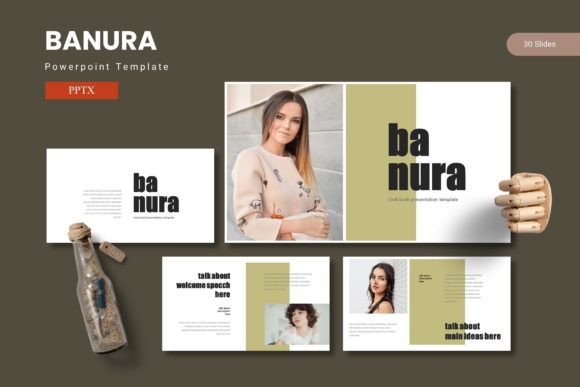
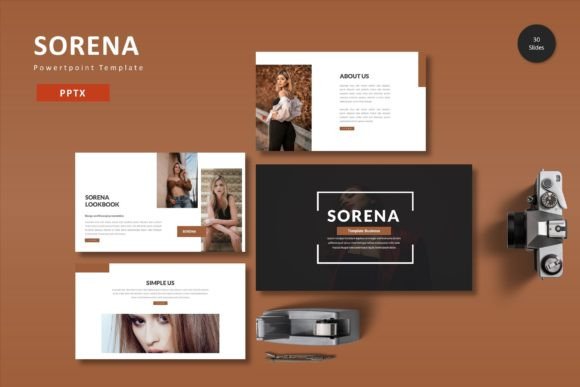
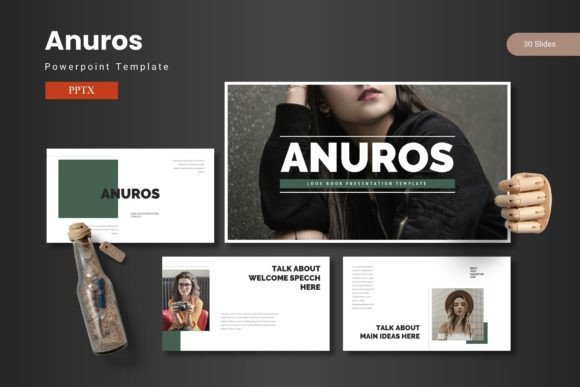
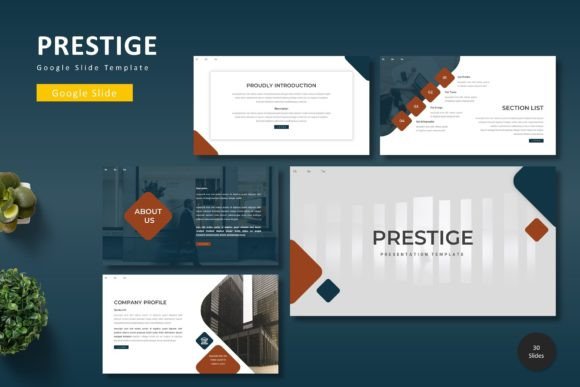
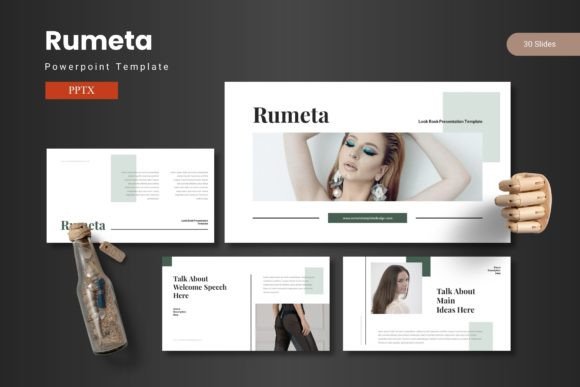
What makes this template stand out is its blend of aesthetic appeal and practical functionality. The design philosophy centers on clean, modern typography and balanced composition, ensuring your content remains the hero. With over 150 total slides organized across five distinct color schemes, you have a versatile palette to match any brand identity or presentation mood. Each of the five premade templates offers 30 carefully crafted slides, giving you a consistent yet customizable starting point.
The handcrafted infographics are particularly noteworthy. Instead of relying on standard chart tools, these are pixel-perfect illustrations designed to make data digestible and engaging. Whether you're illustrating growth metrics, process flows, or comparative analyses, these graphics elevate your numbers from mere statistics to compelling visual stories. The fact that all graphics are fully resizable and editable means you can adapt them precisely to your content without losing quality.
For those who manage multiple projects or brands, the five color variations provide immediate flexibility. Switching between a professional corporate palette and a vibrant creative scheme takes just a few clicks, all while maintaining the template's cohesive visual language. This feature alone saves hours of design time and ensures brand consistency across different presentations.
Practical Applications Beyond the Boardroom
While the primary use case is obvious—business presentations—the Rumeta template's design principles make it valuable for a much wider range of creative projects. Consider how its structured layouts could serve as a foundation for:
- Brand Guidelines Documentation: Use the clean layouts to create visual brand manuals that clearly communicate logo usage, color palettes, and typography rules to your team or clients.
- Client Pitches and Proposals: The professional aesthetic helps establish credibility when presenting new ideas or service packages to potential partners.
- Workshop and Educational Materials: The section break slides and logical flow make it ideal for creating training decks or course materials that need to guide learners through complex topics.
- Portfolio Showcases: The gallery and portfolio slides offer elegant ways to display work samples for designers, photographers, or agencies seeking new business.
The template's design also lends itself well to creating cohesive marketing assets. Imagine using the same visual language for a webinar presentation, then adapting those slides into a downloadable PDF guide or a series of social media graphics. This approach strengthens brand recognition by maintaining visual consistency across different touchpoints.
Design Efficiency Meets Creative Control
One of the most significant advantages of working with a well-structured template is the time it saves. The Rumeta PowerPoint Template is built on master slides, which means you can make global changes to fonts, colors, and logos from a single control panel. This feature is invaluable for businesses that need to ensure every presentation reflects current branding without manually updating each slide.
The picture placeholder system deserves special mention. Instead of struggling with image cropping and positioning, you can simply drag and drop your photographs into pre-formatted frames. This intuitive approach lets non-designers create polished visual compositions quickly, while still giving experienced designers the control to fine-tune layouts as needed.
For teams collaborating on presentations, the template's organized structure reduces confusion. With clear section breaks and consistent styling, different contributors can work on separate sections while maintaining a unified look. The included readme file with font and photo information ensures everyone has access to the necessary assets, preventing last-minute scrambling for missing elements.
Making Your Message Memorable
Effective visual communication is about more than just making things look pretty—it's about enhancing understanding and retention. The Rumeta template's design choices support this goal in several ways. The typography hierarchy guides the viewer's eye through information in a logical sequence, while the balanced use of white space prevents cognitive overload.
Consider how you might use these design principles for different scenarios:
- Data-Driven Presentations: Use the infographic slides to transform complex datasets into intuitive visual narratives that executives can grasp quickly.
- Storytelling Pitches: Leverage the clean layouts to create a visual journey that builds emotional connection before presenting logical arguments.
- Instructional Content: Utilize the section breaks to clearly delineate different learning modules or process stages.
The template's versatility extends to various industries. A marketing agency might use the bold color variations for a campaign pitch, while a financial consultant could opt for the more subdued schemes for quarterly reports. Educators could adapt the layouts for interactive lesson plans, and nonprofits might use them for grant proposals or impact presentations.
Choosing the Right Tools for Your Visual Voice
When selecting design assets like presentation templates, it's worth considering how they align with your broader visual communication strategy. A resource like Rumeta works best when it complements your existing brand identity rather than replacing it entirely. Before diving into slide creation, take time to:
- Audit Your Visual Needs: Determine what types of presentations you create most frequently and which template features would save you the most time.
- Consider Your Audience: A template that works perfectly for investor pitches might need adjustment for creative industry presentations.
- Plan for Scalability: Think about whether the template can grow with your needs, especially if you anticipate creating more sophisticated presentations over time.
Remember that even the most beautiful template serves as a starting point. The real magic happens when you infuse it with your unique content, perspective, and brand personality. The Rumeta PowerPoint Template provides the structure and polish, but your message and delivery will ultimately determine whether your presentation resonates.
In a world where attention is scarce and first impressions matter, having a reliable design foundation for your presentations isn't a luxury—it's a strategic advantage. Whether you're convincing stakeholders, educating clients, or inspiring teams, the right visual framework helps ensure your ideas get the consideration they deserve.