Maze: A Dynamic PowerPoint Template for Visual Storytelling
Every presentation is a story waiting to be told. Whether you're pitching a new business idea, sharing quarterly results, or teaching a complex concept, the clarity and visual impact of your slides can make or break your message. A cluttered, inconsistent deck can distract and confuse, while a cohesive, well-designed template acts as a silent partner, guiding your audience through your narrative with purpose and style. This is where a thoughtfully crafted resource like the Maze PowerPoint Template enters the picture, offering a structured yet flexible foundation for anyone who needs to communicate ideas with authority and visual appeal.
Beyond Slides: A Framework for Clear Communication
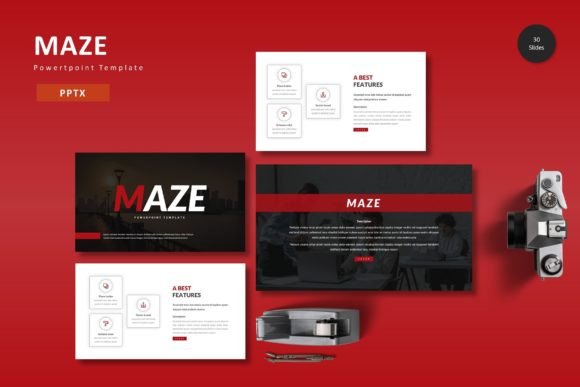
At its core, Maze is more than a collection of pre-made slides; it's a design system. Built around the principles of modern typography and clean layout, it provides a consistent visual language from start to finish. The template includes over 150 slides across five premade color schemes, with 30 meticulously designed slides in each palette. This variety means you're not just getting one look, but a versatile toolkit that can adapt to different brand personalities—from the confident energy of a bold scheme to the serene professionalism of a muted one. The foundation is built on master slides, which is a critical feature for maintaining alignment and consistency across a long presentation. Adjust a font or color on the master, and it cascades throughout the entire deck, saving hours of manual tweaking and ensuring a pixel-perfect result.
The visual assets included are particularly noteworthy. Handcrafted infographics transform dry data into engaging visual stories. Instead of presenting a table of numbers, you can illustrate a process, compare metrics, or map out a timeline in a way that is instantly comprehensible. All graphics are resizable and editable, allowing you to tailor them precisely to your content. The inclusion of picture placeholders with drag-and-drop functionality simplifies the process of incorporating your own imagery, making the template feel personalized and authentic rather than generic.
Practical Applications for Brand Builders and Communicators
For entrepreneurs and small business owners, establishing a strong brand identity extends into every client-facing document. A sales proposal, investor pitch, or team meeting deck created with a consistent template like Maze reinforces your brand's professionalism and attention to detail. The color variation feature allows you to easily match the presentation to your existing brand guidelines, ensuring visual consistency across all your marketing assets. This coherence builds trust and brand recognition before you even say a word.
Content creators and marketers can leverage this resource to streamline the production of high-value digital products. Consider creating a series of online course modules, a downloadable webinar replay, or a visually rich social media content calendar. The template's structure provides a clear framework for organizing information, which is invaluable when designing educational materials or complex editorial layouts. The gallery and portfolio slides are perfect for showcasing work, whether you're a photographer displaying a recent shoot, a designer presenting a new logo and packaging design project, or a consultant highlighting client testimonials.
Designing with Intention: Tips for Effective Use
Having a powerful template is the first step; using it effectively is the next. The most impactful presentations are built on a foundation of clear goals. Before you even open the file, outline your core message and the key takeaways for your audience. Let this structure guide your slide selection from the 30 available in each color scheme. Not every slide will be right for every talk. Choose layouts that best serve your specific content—whether it's a data-heavy comparison, a process flow, or a bold statement.
Typography within the template is designed for readability and modern appeal. While the template doesn't include the fonts, the Readme file provides information on the typefaces used in the preview. This is a crucial step: sourcing and installing the recommended fonts (or choosing suitable alternatives) will ensure the visual fidelity you saw in the demo. When selecting fonts for your own content within the slides, prioritize clarity. A presentation is meant to be read quickly from a distance, so avoid overly decorative scripts for body text. Use the provided master slides to set your preferred font pairings—one clean sans-serif for headlines and another for body copy often works well for digital screens.
Remember, the template is a starting point. The "picture placeholder" feature is your invitation to make it your own. Drag in high-quality images that reflect your brand's aesthetic and story. Customize the infographics with your actual data. Change the colors to match your exact brand palette. This process of customization is what transforms a generic design asset into a powerful component of your unique brand identity, one that will resonate authentically with your audience across every presentation you give.