Aronate: Crafting Visual Narratives with a Cohesive Google Slides Template
Imagine this: you're pitching a new service to a potential client, or perhaps you're outlining your quarterly marketing strategy to your team. The ideas are solid, the data is compelling, but as you click through your slides, something feels off. The fonts clash, the colors are inconsistent, and the overall presentation feels more like a disjointed collage than a persuasive story. This scenario is all too common, and it's where a thoughtfully designed template system like Aronate changes the game. It's not just about making slides look pretty; it's about building a reliable visual framework that lets your content shine with clarity and professionalism.
Beyond Aesthetics: The Architecture of Effective Communication
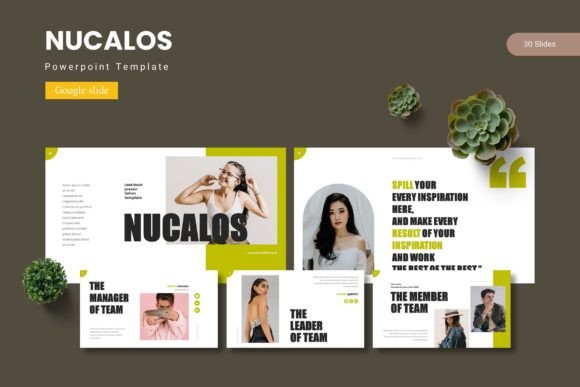
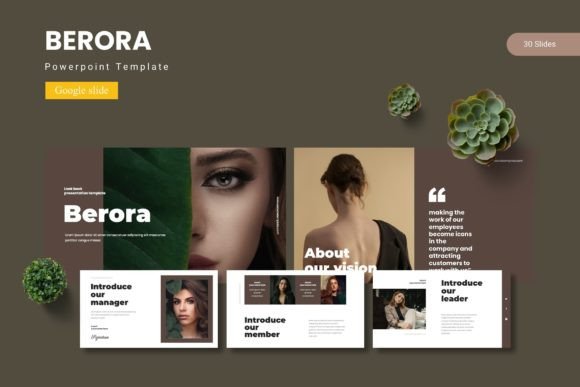
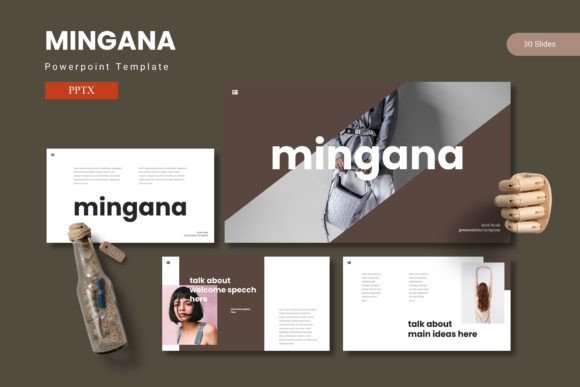
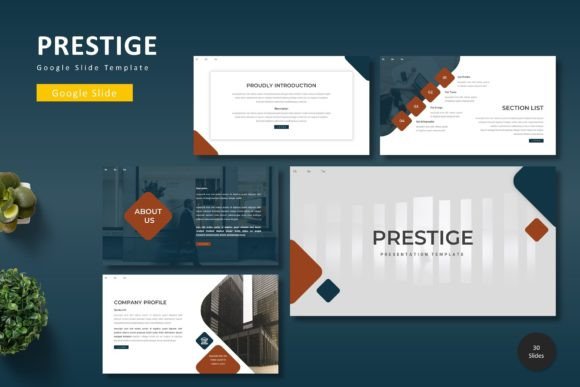
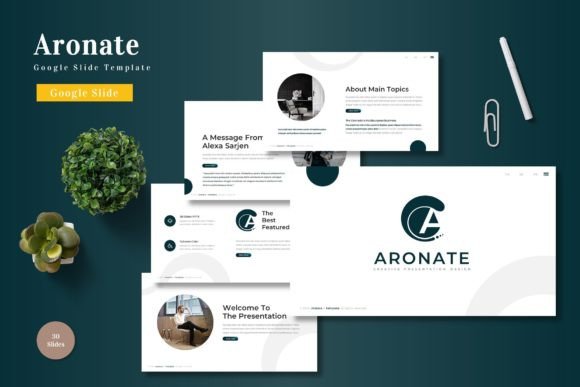
What sets a resource like Aronate - Google Slide Template apart is its foundation in practical design principles. With over 150 total slides across five premade color schemes, it offers a structured yet flexible starting point. Each of the five templates provides 30 meticulously crafted slides, including dedicated section breaks. This isn't a random collection of layouts; it's a system designed for logical flow. The inclusion of handcrafted infographics and pixel-perfect illustrations means you can visualize complex data or concepts without starting from scratch. Everything is built on master slides, ensuring that when you make a global change to a font or color, it updates seamlessly throughout your entire presentation. This level of cohesion is what transforms a slideshow into a polished brand asset.
Practical Applications for the Modern Creator
The real value of a versatile template system lies in its adaptability. Consider a small business owner preparing for a trade show. They can use the portfolio and gallery slides to showcase their products, using the consistent color scheme to reinforce their brand identity. A content creator or blogger might use the same template to design a media kit, presenting their audience demographics and past collaborations in a visually engaging format that feels professional and trustworthy. For marketers, the infographics are invaluable for breaking down campaign results or explaining a new strategy to stakeholders. The drag-and-drop picture placeholders eliminate the friction of resizing and cropping, allowing you to focus on the message rather than the mechanics of design.
Think about the touchpoints where presentation matters. It's in the investor pitch deck, the workshop handout, the internal training module, and the client proposal. Using a cohesive template across these different contexts builds a subtle but powerful sense of brand recognition. Your audience, whether they are clients, partners, or your own team, begins to associate that clean, professional aesthetic with your reliability and attention to detail. This is the essence of visual consistency in action, moving beyond a one-off design to become a core component of your communication toolkit.
Making It Your Own: Customization Without the Headache
A common pitfall with many templates is that they are either too rigid or so complex that customization becomes a project in itself. Aronate strikes a balance by providing a robust foundation that invites personalization. The five color variations are an excellent starting point, but the true power comes from the editable master slides. If your brand uses a specific shade of teal and a particular serif font, you can adjust the master slides once, and the entire template adapts. This is a massive time-saver for maintaining brand guidelines across multiple presentations.
The graphic elements are all fully resizable and editable, which is crucial. You might need an icon to be larger on one slide or a diagram to be simplified for a different audience. This flexibility ensures the template serves your content, not the other way around. When you're working on a high-stakes presentation for a product launch or a keynote, having this kind of reliable, adaptable infrastructure allows you to iterate quickly and confidently. You're not wrestling with formatting issues at midnight; you're refining your message and practicing your delivery.
Considerations for Seamless Integration
As you integrate a template like this into your workflow, a few practical steps will ensure success. First, take a moment to review the included readme file. It will specify the fonts and photo sources used in the preview. If you want to maintain the exact aesthetic, you may need to install those fonts or use similar alternatives from your own library. This is a good opportunity to explore font pairing—perhaps using a clean sans-serif from the template for body text and introducing a complementary display font for your headlines to add a touch of your own brand's personality.
Second, think about your content hierarchy. Use the provided section breaks to give your audience a mental pause and to clearly segment your narrative. The infographic slides aren't just decorative; they are tools for comprehension. Use them to simplify a process, compare options, or highlight key metrics. Finally, remember that while the template is a powerful design asset, it's your unique content, stories, and insights that will truly engage your audience. The template is the stage; you and your ideas are the performance.
In the end, tools like the Aronate - Google Slide Template are about removing barriers. They democratize professional design, allowing entrepreneurs, educators, and creators to present their ideas with a level of polish that was once the domain of dedicated design teams. It’s about saving time, reducing stress, and focusing on what you do best: communicating your vision effectively. When your visuals are coherent and professional, your message gains immediate credibility, and that’s an investment that pays dividends in every pitch, workshop, and report you deliver.